
Case study - AI-assisted problem solving
When the UI fails you,
build around it.
A real UX frustration, solved in under 10 minutes with AI and a few lines of code.
163
Pages auto-paginated
~10 min
Time to find the item
2-3 hrs
Estimated manual time
THE PROBLEM
TRIGGER
Received a product recall email from Coupang, South Korea’s largest e-commerce platform (think Amazon, but faster), for an E16C item flagged as a fire hazard risk, ordered on January 2nd, 2025. No product name was given, only an order number and date.
THE UX GAP
Coupang’s order history only filters by year, not month. In a household of 7 that orders daily groceries and supplies, scrolling from December 2025 back to January meant manually paginating through hundreds of orders. Potentially hours of work.
FIRST ATTEMPT FAILED
Searching by the order number in Coupang’s search bar returned zero results. The platform’s own search tool couldn’t find the order it had just emailed about.
HOW I SOLVED IT WITH AI
1
Described the problem to Claude
Instead of accepting the manual workaround, I asked Claude to help me automate navigating the order history. I explained the pagination structure (next button, not infinite scroll) and the target date.
2
Iterated on the solution together
The first script searched for the date but didn’t account for Coupang’s paginated structure. I fed back the failure and Claude revised the approach, a key PM skill: tight feedback loops.
3
Unlocked browser console pasting
Navigated Chrome’s security restriction by typing “allow pasting” in the console first, a small but necessary step that Claude guided me through in real time.
4
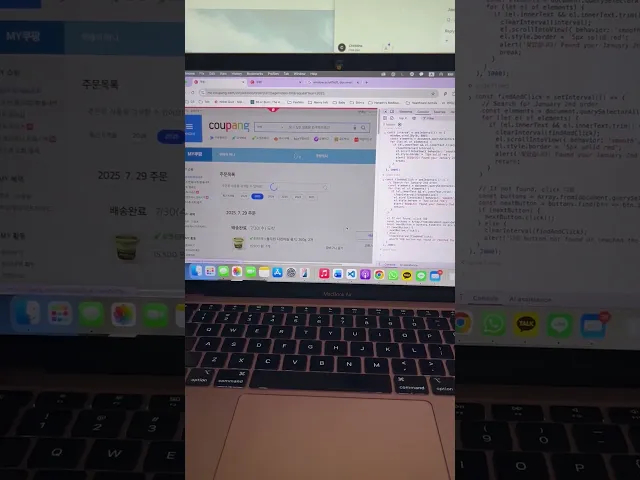
Script ran autonomously through 163 pages
The final script auto-paginated all the way from December 2025 to January 2025, clicking Next every 2 seconds, scanning each page, and triggering an alert the moment it landed on the January 2nd order.

OUTCOME
163 pages auto-paginated. Item found in under 10 minutes, without touching the keyboard once.
The item was identified, the manufacturer was contacted, and the recall was processed. What would have taken 2-3 hours of manual clicking was reduced to a single AI-assisted session and a few lines of JavaScript.
PM INSIGHT
Providing a filter to select an exact date or month in order history could meaningfully improve the shopping experience and drive more purchases. Users frequently reorder the same items or want to replace a product with a newer version, and making past orders easier to find directly reduces friction in the path to repurchase. Additionally, recall emails should include a direct link back to the specific order, not just an order number. When a user’s safety is at stake, every extra step between the notification and the product is a design failure. Both fixes are low engineering effort with high impact on trust, retention, and conversion.
© 2026 tinabuilds